- Cayman Kai Vacations is
 |
 |
 |



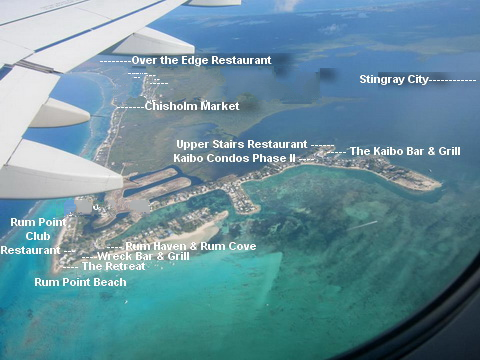
Click on area of interest




















- Specializing in offering the
- Vacation Rentals, Rental Management, & Investment Properties
- in the Cayman Kai/Rum Point Grand Cayman, Cayman Islands
- Specializing in offering
- Vacation Rentals, Rental Management & Investment Properties
- in the Cayman Kai/Rum Point & North Side area Grand Cayman, Cayman Islands
"Cayman Kai Vacation Rentals"
|
|
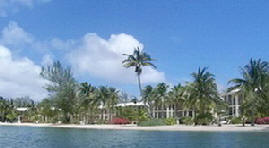


Start exploring. It’s easy. Please
|


- The maps of the area listed below can be zoomed in or out for a much closer look ( +,- ) down to street level or
- moved to the left or right, up or down using the controls in the upper left corner and/or dragged with the mouse.
- "Click on area of interest"
-
- You can save this interactive map to your computer for further viewing.
-

-
You will need
 to view this file once it is on
your computer.
to view this file once it is on
your computer. - Robert Wagner
- Phone Number (412) 828-2111
 |
"Right Click on this link to

"Save Target AS" to download this map to your computer for future viewing. Remember where you save it on your hard drive. Once it is on your computer just click on file (Cayman Kai Area and Island House of Cayman Kai.kml) and it will open in Google Earth. Then look under "Places" on the left side and click on "Cayman Kai Vacations Photo's".
| Need more information or have questions | |
 |
|
 |
|
-

- Cayman Kai Vacations
- "The Island Houses of Cayman Kai"
- Vacation Rentals, Rental Management and Investment Properties
- in the Cayman Kai/Rum Point area, Grand Caymans, Cayman Islands.

- Click on to print page
- Click on to return to
- Click on to return to
 |
 |
Caribbean Vacation Grand Cayman Island Houses Rentals, Cayman Kai, Rum Point, Grand Cayman, Cayman Islands
-
Copyright © 2004-2015 Cayman Kai Vacations All Rights Reserved
Note that Copyright applies to the entirety of the content of this web site.
Site Design & Maintenance by Web Master - Cayman Kai Vacations